 0c6169ee22
# Motivation

In Queue mode, finished executions would cause the main instance to
always pull all execution data from the database, unflatten it and then
use it to send out event log events and telemetry events, as well as
required returns to Respond to Webhook nodes etc.

This could cause OOM errors when the data was large, since it had to be
fully unpacked and transformed on the main instance’s side, using up a
lot of memory (and time).

This PR attempts to limit this behaviour to only happen in those
required cases where the data has to be forwarded to some waiting
webhook, for example.

# Changes

Execution data is only required in cases, where the active execution has
a `postExecutePromise` attached to it. These usually forward the data to
some other endpoint (e.g. a listening webhook connection).

By adding a helper `getPostExecutePromiseCount()`, we can decide that in
cases where there is nothing listening at all, there is no reason to
pull the data on the main instance.

Previously, there would always be postExecutePromises because the
telemetry events were called. Now, these have been moved into the
workers, which have been given the various InternalHooks calls to their
hook function arrays, so they themselves issue these telemetry and event
calls.

This results in all event log messages to now be logged on the worker’s
event log, as well as the worker’s eventbus being the one to send out
the events to destinations. The main event log does…pretty much nothing.

We are not logging executions on the main event log any more, because
this would require all events to be replicated 1:1 from the workers to
the main instance(s) (this IS possible and implemented, see the worker’s
`replicateToRedisEventLogFunction` - but it is not enabled to reduce the
amount of traffic over redis).

Partial events in the main log could confuse the recovery process and
would result in, ironically, the recovery corrupting the execution data
by considering them crashed.

# Refactor

I have also used the opportunity to reduce duplicate code and move some
of the hook functionality into
`packages/cli/src/executionLifecycleHooks/shared/sharedHookFunctions.ts`
in preparation for a future full refactor of the hooks
n8n - Workflow automation tool
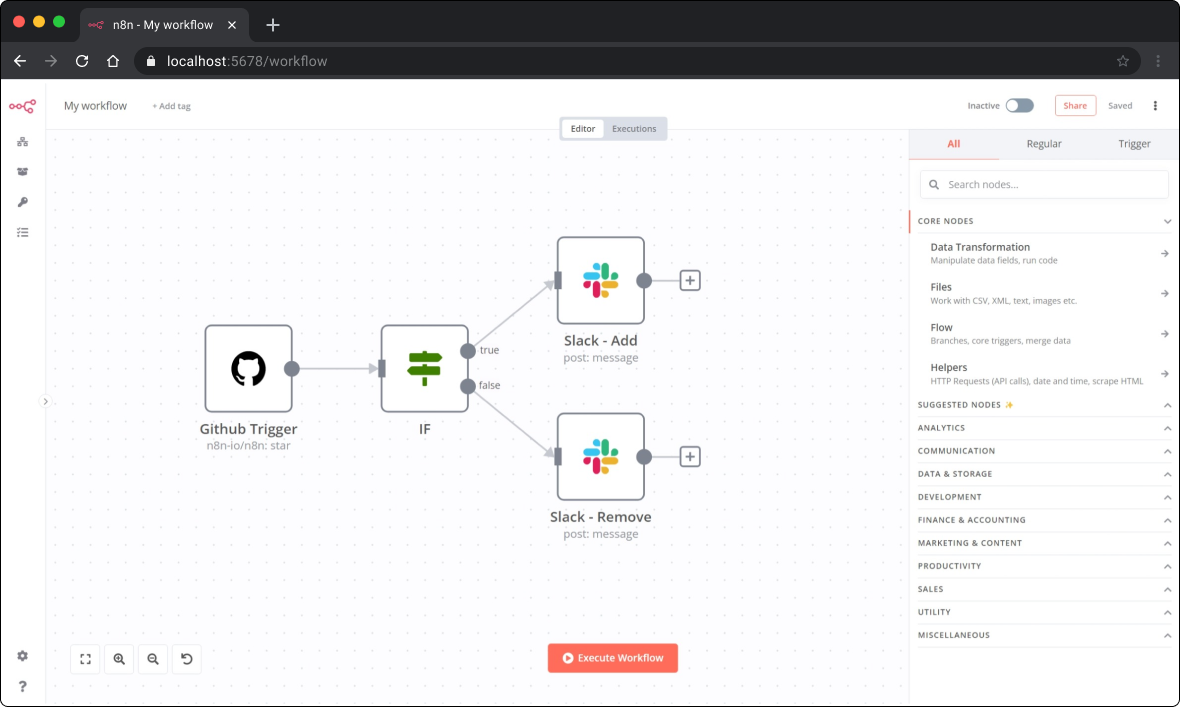
n8n is an extendable workflow automation tool. With a fair-code distribution model, n8n will always have visible source code, be available to self-host, and allow you to add your own custom functions, logic and apps. n8n's node-based approach makes it highly versatile, enabling you to connect anything to everything.
Demo
📺 A short video (< 5 min) that goes over key concepts of creating workflows in n8n.
Available integrations
n8n has 200+ different nodes to automate workflows. The list can be found on: https://n8n.io/integrations
Documentation
The official n8n documentation can be found on our documentation website
Additional information and example workflows on the n8n.io website
The release notes can be found here and the list of breaking changes here.
Usage
- 📚 Learn how to use it from the command line
- 🐳 Learn how to run n8n in Docker
Start
You can try n8n without installing it using npx. You must have Node.js installed. From the terminal, run:
npx n8n
This command will download everything that is needed to start n8n. You can then access n8n and start building workflows by opening http://localhost:5678.
n8n cloud
Sign-up for an n8n cloud account.
While n8n cloud and n8n are the same in terms of features, n8n cloud provides certain conveniences such as:
- Not having to set up and maintain your n8n instance
- Managed OAuth for authentication
- Easily upgrading to the newer n8n versions
Support
If you have problems or questions go to our forum, we will then try to help you asap:
Jobs
If you are interested in working for n8n and so shape the future of the project check out our job posts
What does n8n mean and how do you pronounce it?
Short answer: It means "nodemation" and it is pronounced as n-eight-n.
Long answer: "I get that question quite often (more often than I expected) so I decided it is probably best to answer it here. While looking for a good name for the project with a free domain I realized very quickly that all the good ones I could think of were already taken. So, in the end, I chose nodemation. 'node-' in the sense that it uses a Node-View and that it uses Node.js and '-mation' for 'automation' which is what the project is supposed to help with. However, I did not like how long the name was and I could not imagine writing something that long every time in the CLI. That is when I then ended up on 'n8n'." - Jan Oberhauser, Founder and CEO, n8n.io
Development setup
Have you found a bug 🐛 ? Or maybe you have a nice feature ✨ to contribute ? The CONTRIBUTING guide will help you get your development environment ready in minutes.
License
n8n is fair-code distributed under the Sustainable Use License and the n8n Enterprise License.
Proprietary licenses are available for enterprise customers. Get in touch
Additional information about the license model can be found in the docs.