 d78a41db54
* wip: workflow execution filtering

* fix: import type failing to build

* fix: remove console.logs

* feat: execution metadata migrations

* fix(editor): Move global executions filter to its own component

* fix(editor): Using the same filter component in workflow level

* fix(editor): a small housekeeping

* checking workflowId in filter applied

* fix(editor): update filter after resolving merge conflicts

* fix(editor): unify empy filter status

* feat(editor): add datetime picker to filter

* feat(editor): add meta fields

* fix: fix button override in datepicker panel

* feat(editor): add filter metadata

* feat(core): add 'startedBefore' execution filter prop

* feat(core): add 'tags' execution query filter

* Revert "feat(core): add 'tags' execution query filter"

This reverts commit a7b968081c91290b0c94df18c6a73d29950222d9.

* feat(editor): add translations and tooltip and counting selected filter props

* fix(editor): fix label layouts

* fix(editor): update custom data docs link

* fix(editor): update custom data tooltip position

* fix(editor): update tooltip text

* refactor: Ignore metadata if not enabled by license

* fix(editor): Add paywall states to advanced execution filter

* refactor: Save custom data also for worker mode

* fix: Remove duplicate migration name from list

* fix(editor): Reducing filter complexity and add debounce to text inputs

* fix(editor): Remove unused import, add comment

* fix(editor): simplify event listener

* fix: Prevent error when there are running executions

* test(editor): Add advanced execution filter basic unit test

* test(editor): Add advanced execution filter state change unit test

* fix: Small lint issue

* feat: Add indices to speed up queries

* feat: add customData limits

* refactor: put metadata save in transaction

* chore: remove unneed comment

* test: add tests for execution metadata

* fix(editor): Fixes after merge conflict

* fix(editor): Remove unused import

* wordings and ui fixes

* fix(editor): type fixes

* feat: add code node autocompletions for customData

* fix: Prevent transaction issues and ambiguous ID in sql clauses

* fix(editor): Suppress requesting current executions if metadata is used in filter (#5739)

* fix(editor): Suppress requesting current executions if metadata is used in filter

* fix(editor): Fix arrows for select in popover

* refactor: Improve performance by correcting database indices

* fix: Lint issue

* test: Fix broken test

* fix: Broken test

* test: add call data check for saveExecutionMetadata test

---------

Co-authored-by: Valya Bullions <valya@n8n.io>
Co-authored-by: Alex Grozav <alex@grozav.com>
Co-authored-by: Omar Ajoue <krynble@gmail.com>
Co-authored-by: Romain Minaud <romain.minaud@gmail.com>
n8n - Workflow automation tool
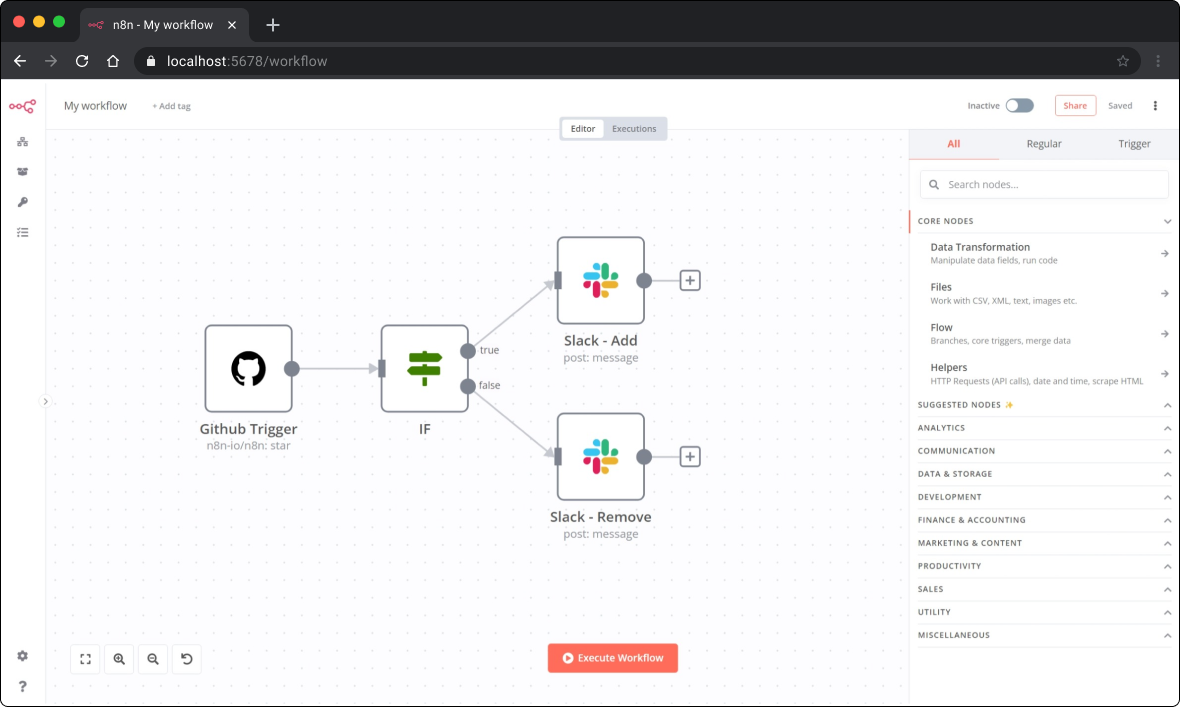
n8n is an extendable workflow automation tool. With a fair-code distribution model, n8n will always have visible source code, be available to self-host, and allow you to add your own custom functions, logic and apps. n8n's node-based approach makes it highly versatile, enabling you to connect anything to everything.
Demo
📺 A short video (< 4 min) that goes over key concepts of creating workflows in n8n.
Available integrations
n8n has 200+ different nodes to automate workflows. The list can be found on: https://n8n.io/integrations
Documentation
The official n8n documentation can be found on our documentation website
Additional information and example workflows on the n8n.io website
The release notes can be found here and the list of breaking changes here.
Usage
- 📚 Learn how to use it from the command line
- 🐳 Learn how to run n8n in Docker
Start
You can try n8n without installing it using npx. You must have Node.js installed. From the terminal, run:
npx n8n
This command will download everything that is needed to start n8n. You can then access n8n and start building workflows by opening http://localhost:5678.
n8n cloud
Sign-up for an n8n cloud account.
While n8n cloud and n8n are the same in terms of features, n8n cloud provides certain conveniences such as:
- Not having to set up and maintain your n8n instance
- Managed OAuth for authentication
- Easily upgrading to the newer n8n versions
Support
If you have problems or questions go to our forum, we will then try to help you asap:
Jobs
If you are interested in working for n8n and so shape the future of the project check out our job posts
What does n8n mean and how do you pronounce it?
Short answer: It means "nodemation" and it is pronounced as n-eight-n.
Long answer: "I get that question quite often (more often than I expected) so I decided it is probably best to answer it here. While looking for a good name for the project with a free domain I realized very quickly that all the good ones I could think of were already taken. So, in the end, I chose nodemation. 'node-' in the sense that it uses a Node-View and that it uses Node.js and '-mation' for 'automation' which is what the project is supposed to help with. However, I did not like how long the name was and I could not imagine writing something that long every time in the CLI. That is when I then ended up on 'n8n'." - Jan Oberhauser, Founder and CEO, n8n.io
Development setup
Have you found a bug 🐛 ? Or maybe you have a nice feature ✨ to contribute ? The CONTRIBUTING guide will help you get your development environment ready in minutes.
License
n8n is fair-code distributed under the Sustainable Use License and the n8n Enterprise License.
Additional information about the license model can be found in the docs.