 f3c3fea228
- Use modal verbs instead of "has"
- Use "icons" instead of "each icon"
- change some other things as well
79 lines
2.2 KiB
Markdown
79 lines
2.2 KiB
Markdown
# Icon Design Guide
|
|
|
|
Here are rules that should be followed to keep quality and consistency when making icons for Lucide.
|
|
|
|
## Summary of the rules we have
|
|
|
|
1. Icons must be designed on a **24 by 24 pixels** canvas.
|
|
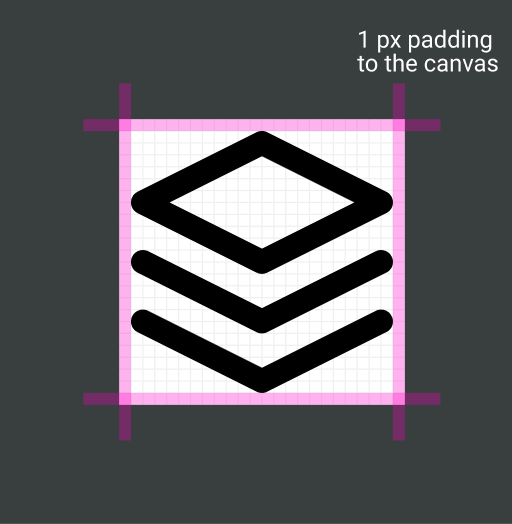
2. Icons must have a **1 pixel padding** within the canvas.
|
|
3. Icons must have a **stroke width of 2 pixels**.
|
|
4. Icons must use **round joins**.
|
|
5. Icons must use **round caps**.
|
|
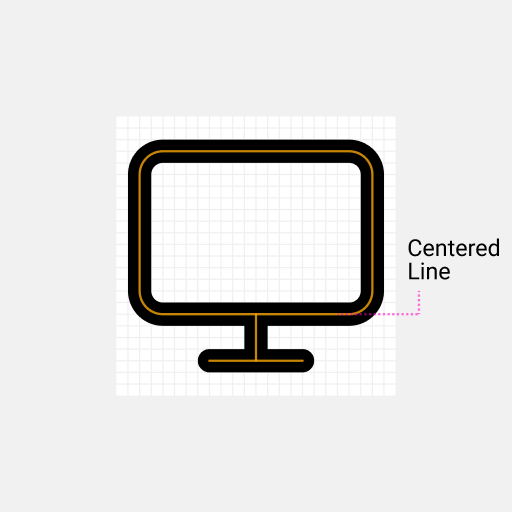
6. Icons must use **centered strokes**.
|
|
7. Shapes (such as rectangles) in icons must have **border radius of 2 pixels**.
|
|
8. Distinct elements must have **2 pixels of spacing between each other**.
|
|
|
|
## The Rules Visualized
|
|
|
|
### 1. Icons must be designed on a 24 by 24 pixels canvas.
|
|
|
|

|
|
|
|
### 2. Icons must have a 1 pixel padding within the canvas.
|
|
|
|
|
|
|
|
### 3. Icons must have a stroke width of 2 pixels.
|
|
|
|

|
|
|
|
### 4. Icons must use round joins.
|
|
|
|

|
|
|
|
### 5. Icons must use round caps.
|
|
|
|

|
|
|
|
### 6. Icons must use centered strokes.
|
|
|
|
|
|
|
|
### 7. Shapes (such as squares) in icons must have border radius of 2 pixels.
|
|
|
|

|
|
|
|
### 8. Distinct elements must have 2 pixels of spacing between each other.
|
|
|
|

|
|
|
|
## Code Conventions
|
|
|
|
Before an icon is added to the library, we like to have readable and optimized svg code.
|
|
|
|
### Global Attributes
|
|
|
|
For each icon these attributes are applied, corresponding to the above rules.
|
|
|
|
```xml
|
|
<svg
|
|
xmlns="http://www.w3.org/2000/svg"
|
|
width="24"
|
|
height="24"
|
|
viewBox="0 0 24 24"
|
|
fill="none"
|
|
stroke="currentColor"
|
|
stroke-width="2"
|
|
stroke-linecap="round"
|
|
stroke-linejoin="round"
|
|
>
|
|
<!-- SVGElements -->
|
|
</svg>
|
|
```
|
|
|
|
### Minify paths
|
|
|
|
Code of paths can get really big.
|
|
To reduce file size we like to minify the code.
|
|
We recommend to use the [SVGOMG](https://jakearchibald.github.io/svgomg/) to minify paths.
|